
Klaviyo Email Flows for a Food and Drink Shopify Store
Klaviyo email flows for your food and drink Shopify store
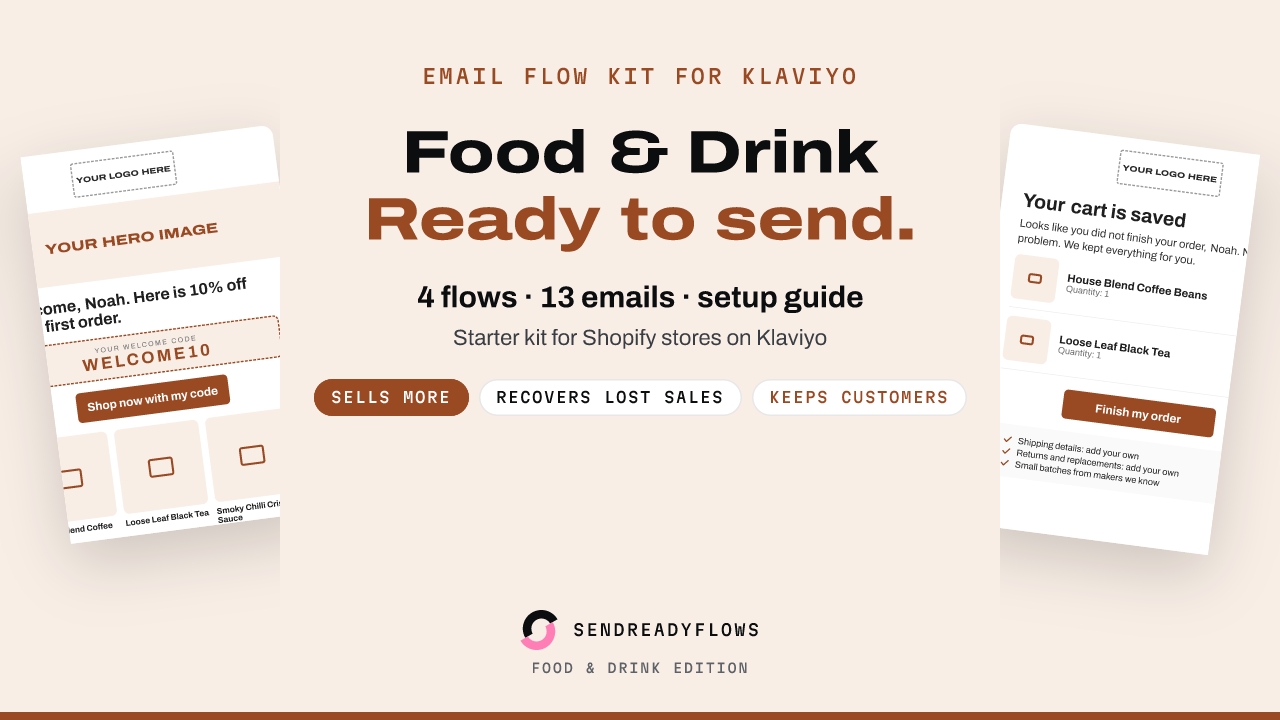
Four finished email flows for a food and drink store that uses Klaviyo. You swap in your logo, photos and products, then build each flow in Klaviyo. The emails are written for small shops that sell coffee, tea, sauces, snacks, specialty food and drinks.
Why these four flows
If your shop sends only a newsletter now and then, these four flows add the moments that matter most: a new subscriber who has not bought yet, a shopper who left items at checkout, a customer who just received an order, and a past buyer who went quiet. Each email has one job that you can see in the flow plan.
What each flow does for your store
- Welcome series (4 emails): turns a new subscriber into a first order. It delivers your offer, tells your story and shows your best sellers.
- Abandoned cart (3 emails): reminds shoppers who left at checkout. Klaviyo fills in their real cart link. The copy answers the doubts that stop people from buying.
- Post-purchase thank-you and review request (3 emails): thanks buyers, helps them enjoy what they bought and asks for an honest review about 14 days after the order.
- Win-back (3 emails): reaches past buyers who have not ordered for a while and gives them a reason to return.
What is inside
- 13 emails, each as an HTML file and a plain text version
- A preview page you open in your browser, with every email filled in with example food and drink products, so you see the result before you edit
- The YOUR LOGO HERE image in every email, ready to swap for your own
- 4 flow plans (trigger, filters, waits, email list)
- Subject line A and an alternative B for every email, with preview text
- A placeholder list that shows every item to replace, such as brand colour, logo, photos, products, discount codes and your own shipping and returns lines
- An install guide for all 4 flows, with Klaviyo help links
How setup works
Klaviyo has no flow import. You import the HTML emails into Klaviyo as templates, then build each flow by hand with the flow plans and the install guide. Plan for a first session of an hour or two. Wait times in the flow plans are suggestions and you can change them. The install guide is AI-assisted. If a Klaviyo screen looks different, follow the Klaviyo help page linked in that step. You never share account access with anyone.
Who it is for
Small food and drink stores on Shopify that use Klaviyo, with no automated emails or only basic ones. You should be fine editing text and following steps. No code needed.
Who it is not for
Stores that want someone to set it up for them. There is no setup service, and I never ask for access to your accounts. Also not for stores in other niches, or anyone who wants a promise of sales.
Things to check before you send
- Shipping, perishable shipping, allergen, shelf life, storage, returns and age check lines are for you to fill in with your own facts, or delete. The kit states none of them as fact.
- The copy makes no health, nutrition, allergen-free, organic, origin or freshness claims. Keep it that way when you edit, unless a claim is true and you can support it.
- Labelling, allergen information, shelf life and shipping of perishable goods are your duty as the owner. If you sell alcohol, age checks and licensing rules are yours too. The kit does not check ages or licences.
- Some copy makes statements about your shop, for example that products are chosen with care. Change anything that is not true for you.
- Your signup form needs a consent line and a privacy link, and your emails need your real business address.
- Klaviyo's free plan has limits and may not include flow A/B tests. Check your plan.
- Send yourself a test of each email and click every button before a flow goes live.
Honest scope
Results depend on your products, your list and your edits. I promise no result. These are well-built starting emails, not a guarantee.
Questions
Can I import a whole flow into Klaviyo? No. You import the emails as templates and build each flow by hand.
Do you set it up for me? No. There is no setup service.
I sell alcohol. Can I use it? The kit has no age check and no licence check. Whether you may email about alcohol where you sell, and how to check ages, is your duty.
Can I use it for more than one store? One purchase is for one store. For a client's store, buy one licence per client store.
Refund
This is a digital download. If the files are broken, will not open or are not as described, reply to your Gumroad receipt email within 14 days of purchase. I will fix the problem or refund you.
AI disclosure
The email designs and copy were made with AI help and curated by the seller.
Get the kit
Buy the Starter Email Flow Kit for Klaviyo: Food and Drink Edition, $12
Not affiliated with Klaviyo or Shopify.
Written with AI help and checked before publishing. Not affiliated with Klaviyo or Shopify. A SHOK venture (shok.company). Owned and operated by Brinvik (brinvik.com), CVR 46724399